ICAP Servers
Integrate PrivX with ICAP servers, to provide virus and content scanning for users' connections.
| ICAP Support | |
|---|---|
| Servers | ClamAV ClearSwift SIG McAfee WithSecure Atlant |
| Modes | REQMOD RESPMOD |
| Connection Types | SSH via PrivX GUI SCP via native clients SFTP via native clients RDP via PrivX GUI Web file transfers between carrier browser and user |
Enabling ICAP for File Transfers
When ICAP is enabled, all users' file uploads and downloads are scanned. Uploaded files are scanned before they are sent to target hosts; downloads are scanned before they travel from the shared directory to the users' machines. Files that do not comply to corporate policy are blocked.
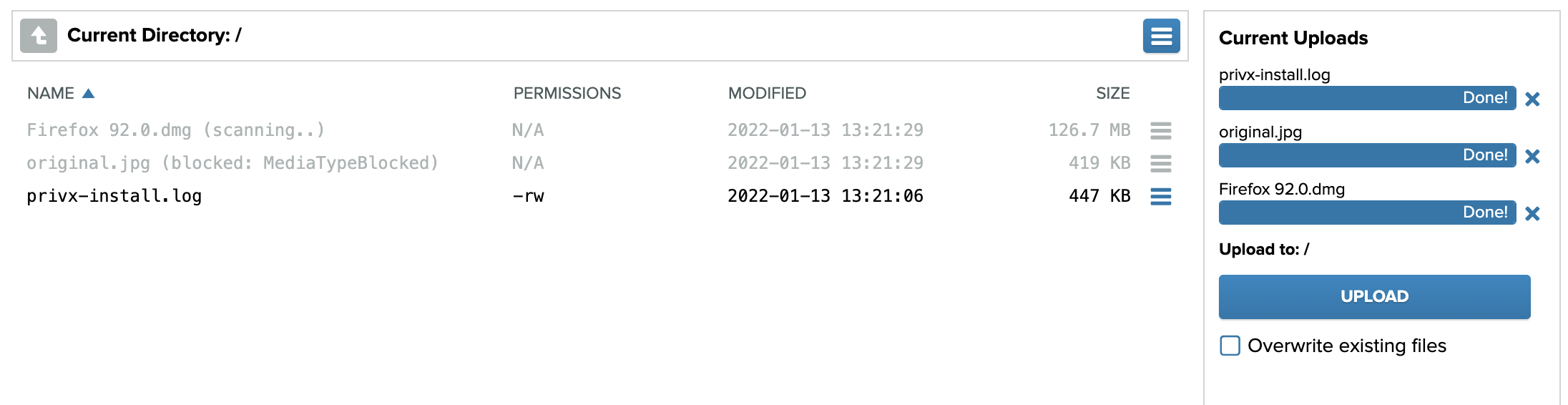
To enable ICAP for file transfers, first ensure that:
- For best performance, we recommend placing the ICAP server close to your PrivX servers (with fast network connection) to speed up file scanning.
- The ICAP-server hostname and port are accessible from all PrivX servers.
To set up ICAP:
-
Access the PrivX GUI. On Administration→Settings→Global under ICAP, provide your ICAP settings:
- Enable file-transfer scans for desired connection types.
Note that the setting for web-based RDP also applies to HTTPS file transfers. - Provide the ICAP-server host name and port.
- Provide either ICAP RESPMOD URL or ICAP REQMOD URL (depending on whether your ICAP server uses response modification or request modification). You should verify the correct URL from your ICAP-server configuration.
- ICAP service name is an optional attribute, required by some servers (example value: squidclamav).
infoFor ClearSwift SIG, set the ICAP RESPMOD URL to
clearswift. Do not enter an actual URL. - Enable file-transfer scans for desired connection types.
-
Restart PrivX to apply your changes.
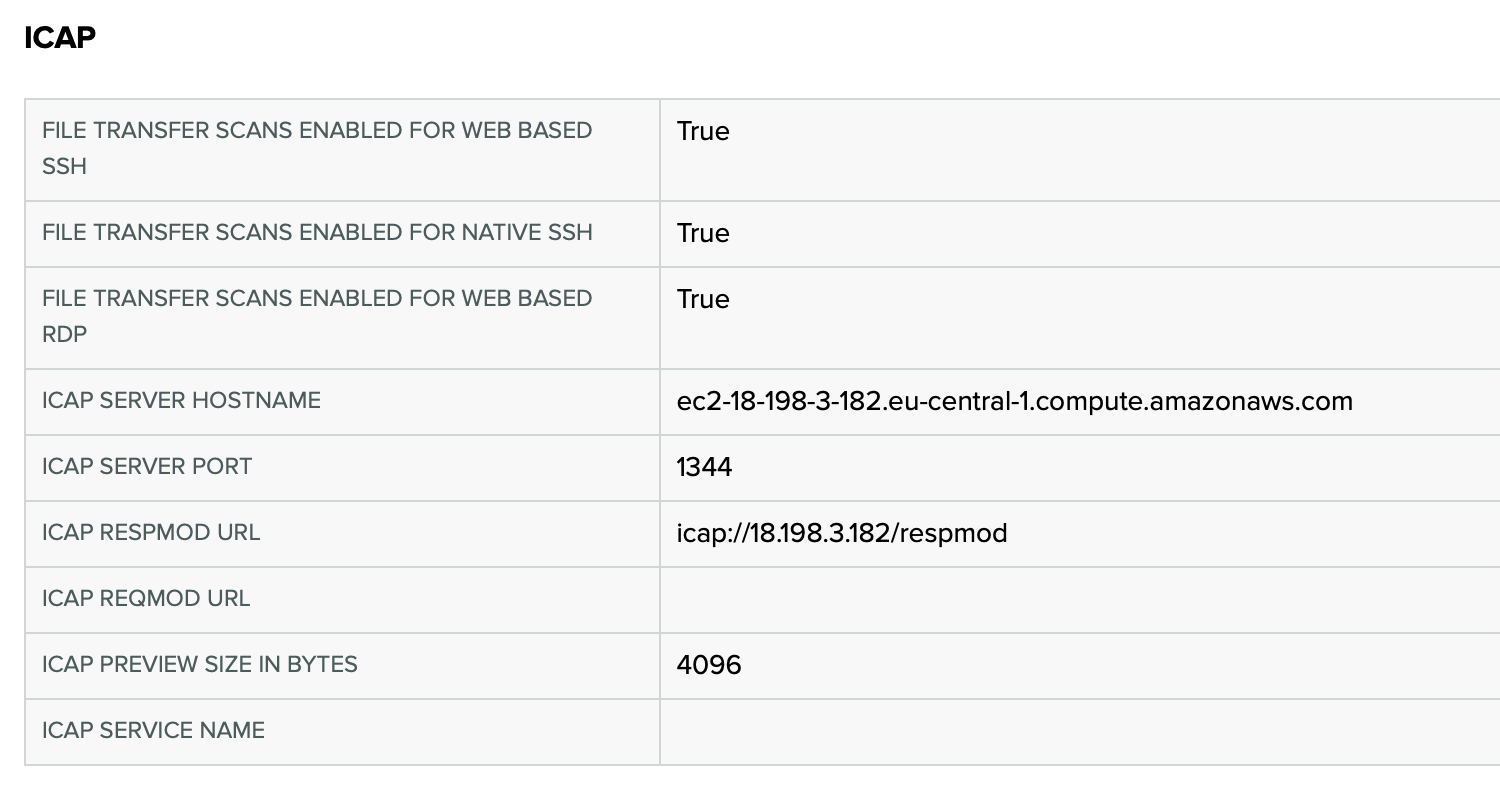
Example ICAP configuration
Security of Transferred Files
This section describes data-security details related to transferred files. Note that the behavior differs depending on whether ICAP is enabled.
RDP
- no ICAP scan: Transferred files are always written to connection specific
rdp-drive/directory. If file transfer is cut, that directory will contain the partial file. - ICAP scan enabled: Transferred files are first written to the connection-specific
scan/directory from which the ICAP scanner reads them. Once the file is scanned it is moved to therdp-drive/directory.
SSH
- no ICAP scan: the http POST request body (and http GET response body) related to the filetransfer is directly streamed to the SSH connection's SFTP channel. Files are not persisted anywhere on PrivX Servers.
- ICAP scan enabled: transferred filed are first written to the connection-specific
scan/directory from which the ICAP scanner reads them. Once the file is scanned it is sent over SFTP to the target or returned as a HTTP response body to the client.
The connection specific scan/ and rdp-drive/ directories are cleaned up from PrivX Servers' file systems when the connection is closed.
When session recording is enabled, all file transfers are encrypted before they're written to the trail. This also applies to partial file transfers. The trails are stored to the location specified in the Data Folder global setting.